Be Internet Secure: Protect Your Stuff
Free online safety and media literacy teaching resources for UK primary schools
In this pillar, you'll find a range of activities that teach pupils to Protect Their Stuff when they're online. The pack includes an overview of the pillar, vocabulary sheets and five activities for ages 7–11. There are also three lesson plans with guided notes, ready to teach: Lessons 2 and 4 for ages 7–9, and Lesson 10 for ages 9–11.
The activities cover topics such as creating strong passwords and keeping them private, using privacy and security settings, and knowing how to ask for help if pupils are worried about their own or others' safety online.
The pillar has been updated to reflect an evolving AI world, where the information pupils share online isn't necessarily safe or private. Pupils learn why passwords should never be shared – including with AI tools – and how apps, websites and AI tools can collect their information.
They also explore how AI tools, fake videos or cloned voices can be used to trick people, and who to tell if something doesn't feel right.
Lesson Plans
These Be Internet Secure Lesson Plans use activities from the Pillar Activity Packs to deliver age-appropriate lessons. Each lesson plan includes objectives, outcomes, differentiations and extensions.
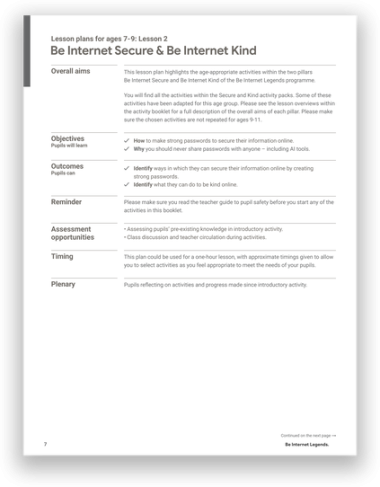
Lesson 2: Be Internet Secure & Be Internet Kind
Pupils learn how to create strong passwords and why they should never be shared, including with AI tools. They explore privacy settings and two-step verification. They also practise noticing how others might be feeling and plan their own Kindness-gram to show kindness to someone in their life.
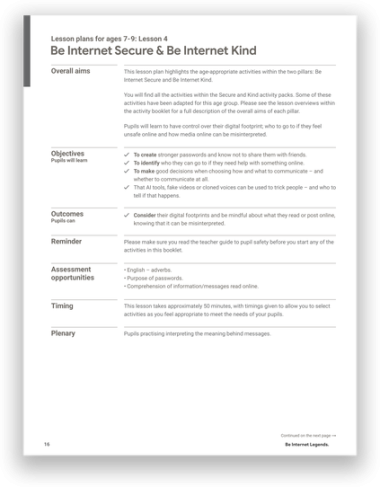
Lesson 4: Be Internet Secure & Be Internet Kind
Pupils explore what can happen when passwords are shared and discuss who to tell if they feel unsafe online, including if an AI tool, fake video or cloned voice tricks them. They also think about how to stand up for others and practise reading messages in different moods to see how easily they can be misread.
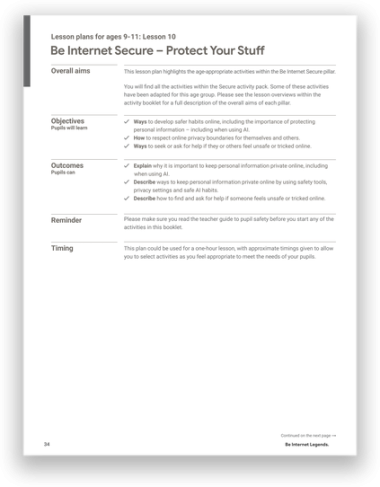
Lesson 10: Be Internet Secure
Pupils create strong passwords and learn why they should never share them, including with AI tools. They explore privacy settings and two-step verification on a school device. They also revisit privacy scenarios to discuss who to go to for help, including if an AI tool, fake video or cloned voice tricks someone.
Lesson Presentations
Download supporting interactive lessons which work with the activities included in your Pillar Packs.
All lessons are integrated with Google Classroom. Explore all lesson plans here.
Lesson 2: Be Internet Secure & Be Internet Kind

Add to Google Classroom or Drive.
Share to Classroom
Lesson 4: Be Internet Secure & Be Internet Kind

Add to Google Classroom or Drive.
Share to Classroom
Lesson 10: Be Internet Secure - Protect Your Stuff
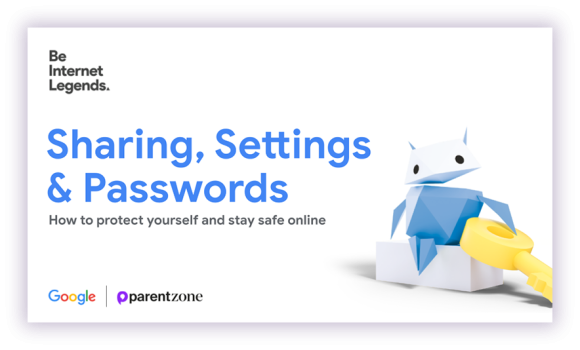
Add to Google Classroom or Drive.
Share to Classroom